

WhatsApp Automation for Agencies: How n8n Saves Time and Effort

For agencies, WhatsApp is no longer just a quick messaging tool. It has become a primary channel for client updates, approvals, onboarding, and support. As client numbers increase, manual message handling starts to slow teams down. This is where WhatsApp automation for agencies offers real value.
Instead of replacing conversations, automation removes repetitive work so teams can focus on meaningful communication. This article breaks down how agencies use automation responsibly, how workflows are structured, and why tools like n8n are increasingly popular for agency workflow automation.
The Communication Challenges Agencies Face on WhatsApp
Most agencies face the same operational problems as they grow:
- Repeating similar updates across multiple client chats
- Delayed replies during busy periods
- Missed follow-ups and approvals
- No clear record of what was sent and when
These issues are not caused by poor service. They result from a lack of structure. WhatsApp automation for agencies introduces that structure without changing how clients prefer to communicate.
What WhatsApp Automation Means in a Real Agency Environment
Automation does not mean sending robotic replies or removing people from conversations. In agency settings, automation focuses on predictable actions.
This includes:
- Acknowledging incoming messages
- Sending onboarding information after sign-up
- Sharing scheduled updates
- Sending reminders for meetings or approvals
These actions support teams and improve communication consistency. This is the practical side of no-code WhatsApp automation, where workflows are visual and easy to manage.
How Agencies Use n8n to Build WhatsApp Automation Workflows
n8n acts as the control centre for automation. It connects WhatsApp with CRMs, forms, calendars, and internal tools.
A typical workflow looks like this:
- A trigger occurs, such as a form submission or status change
- n8n applies logic and conditions
- A personalised WhatsApp message is sent
- The activity is logged for tracking
This flexibility makes WhatsApp automation with n8n suitable for agencies handling multiple clients and workflows.
Common WhatsApp Automation Use Cases for Agencies
1. Lead Response and Qualification
Automated replies confirm receipt of enquiries and share next steps, improving response times without manual effort.
2. Client Onboarding Communication
Welcome messages, timelines, and key documents are sent automatically once a client signs on.
3. Campaign and Project Status Updates
Clients receive updates when milestones are reached, reducing inbound “any updates?” messages.
4. Follow-Ups and Approval Reminders
Automation helps chase approvals and meeting confirmations without awkward manual nudges.
5. Internal Notifications for Teams
Team members are alerted when clients reply or when urgent action is needed.
These use cases demonstrate how WhatsApp automation for agencies supports daily operations rather than replacing personal communication.
Example of a Structured WhatsApp Automation Workflow
| Workflow Stage | Purpose |
|---|---|
| Trigger | Client action or system update |
| Logic | Determine message type and recipient |
| Message | Send a personalised WhatsApp message |
| Logging | Store message details in CRM |
| Alert | Notify the internal team if required |
This structure is common in WhatsApp Business API automation and keeps communication predictable and trackable.
Positive Business Outcomes of WhatsApp Automation
When implemented correctly, automation delivers clear benefits:
- Faster response times
- Fewer missed messages
- Reduced admin workload
- More consistent client communication
- Better use of account managers’ time
These improvements are why WhatsApp automation for agencies is increasingly viewed as a productivity upgrade, not just a technical tool.
Best Practices for Automating Client Communication on WhatsApp
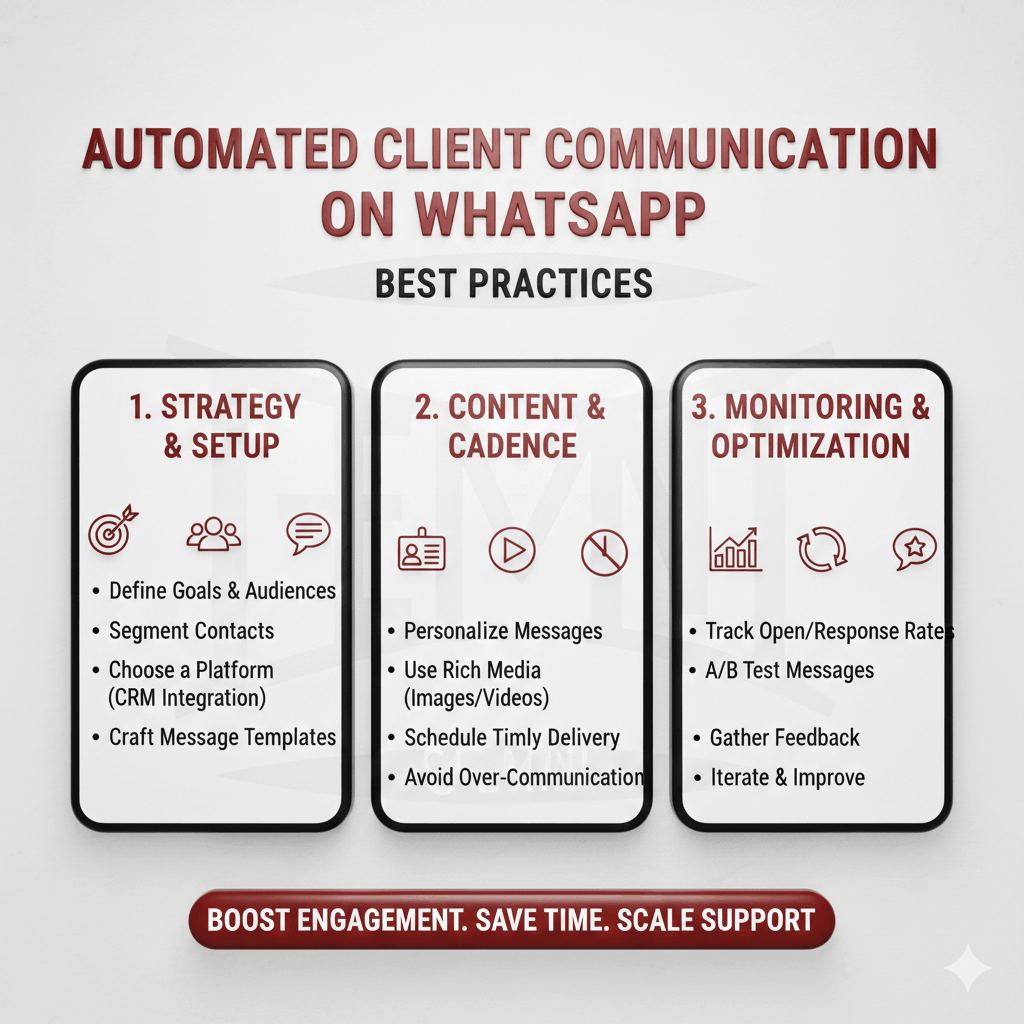
To automate client communication on WhatsApp effectively, agencies should:
- Keep automated messages short and natural
- Use automation only where repetition exists
- Always allow easy access to a real person
- Test workflows before client rollout
- Review message performance regularly
Automation should support trust, not undermine it.
Common Automation Mistakes Agencies Should Avoid
Agencies run into problems when they:
- Automate before defining clear processes
- Send generic or poorly timed messages
- Ignore failed message delivery
- Overuse of automation in sensitive situations
Avoiding these mistakes ensures WhatsApp automation remains helpful and professional.
Compliance and Platform Considerations
Proper setup prevents delivery issues and protects client trust.
- Using approved templates
- Respecting opt-in rules
- Handling client data responsibly
- Understanding how the WhatsApp Business API operates
Automation must follow WhatsApp’s platform rules and data protection requirements. This includes:
How Spotlight GB Uses WhatsApp Automation to Support Agencies
Spotlight GB works with agencies to design WhatsApp automation workflows that fit real operational needs. Instead of one-size-fits-all setups, workflows are built around existing processes.
Key advantages include:
- Automation tailored to agency-specific workflows
- Clean integration with CRMs and lead systems
- Scalable setups that grow with client volume
- Clear reporting and message tracking
This approach ensures WhatsApp automation for agencies delivers measurable efficiency without disrupting client relationships.
When WhatsApp Automation Makes Sense and When It Doesn’t
Automation works best for:
- Routine updates
- Time-sensitive notifications
- Structured follow-ups
Manual communication remains better for:
- Negotiations
- Complex discussions
- Relationship-building conversations
Knowing this balance is critical for long-term success.
Conclusion
When implemented thoughtfully, WhatsApp automation for agencies reduces pressure on teams, improves response times, and creates consistency across client communication. By focusing on real operational needs and building clear workflows, agencies can use automation as a support system rather than a shortcut. Done right, WhatsApp automation for agencies helps teams work smarter, communicate better, and scale without sacrificing service quality.